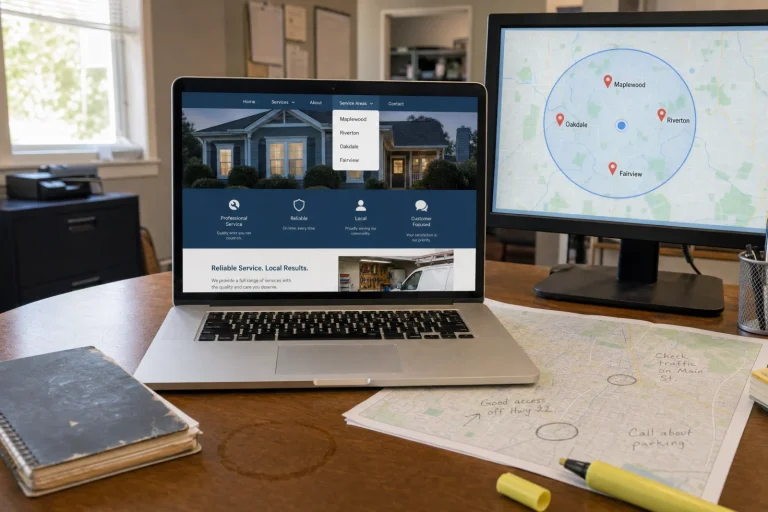
Getting google business profile optimization services right comes down to a few decisions most service-business owners rush — here is what actually matters.
For a broader baseline, Google’s SEO Starter Guide is a useful external reference for making helpful pages easier for people and search engines to understand.
Why Your Google Profile Looks Fine But Your Phone Stays Silent
A plumbing company in Tampa had a 4.8-star rating, over sixty reviews, complete business hours, and every service category filled out. Their Google Business Profile looked perfect. But when we pulled the call tracking data, they were getting maybe two calls a week from Google searches, while a competitor three miles away with a 3.9-star rating and half the reviews was booking fifteen jobs a week from the same searches.
The difference was not the star rating or completeness score. It was the specific elements that make someone pick up the phone in the three seconds they spend scanning your profile on a cracked phone screen at 9pm with a broken water heater.
Most service businesses improve their Google Business Profile the way Google tells them to. Fill out every field. Get more reviews. Add photos. Check the little boxes until the profile says it is complete. And then they wonder why the phone does not ring.
We have been building lead systems for HVAC, plumbing, electrical, and other service businesses since 2018, and we have watched this play out dozens of times. A profile can rank high, look polished, and still convert nobody. Because Google’s checklist measures what makes Google happy, not what makes a homeowner with an emergency call you instead of the next guy.
The mistakes that actually cost you customers are not the ones Google flags. They are the ones that make someone scroll past your profile to the competitor below you. The photo that looks generic instead of trustworthy. The hours that do not match your website. The review response that sounds like a robot wrote it. The service list that is either too vague or so cluttered nobody can find what they need.
We started paying attention to this after a client with a beautiful profile and top rankings told us they were still losing most of their calls to a competitor who answered faster and looked more real. That sent us down a rabbit hole of comparing profiles that convert against profiles that sit there looking complete. What we found was that most google business profile optimization services focus on the wrong things. They chase rankings and completeness scores instead of the tiny friction points that stop someone mid-dial.
This is not about vanity metrics. It is about the seven mistakes we see over and over that make your profile look fine to you and useless to the person searching for help right now.
The Hours Mistake That Makes You Look Permanently Closed
Your hours are wrong somewhere. Not wrong in your Google Business Profile necessarily, but wrong when someone checks your profile, then clicks through to your website, then maybe glances at your Facebook page to see if you are real. One of those three says you close at 5pm. Another says 6pm. The third has not been updated since before the pandemic.
We have watched service businesses lose calls because someone searched at 4:45pm, saw the profile said they were open until 6pm, then clicked the website and saw hours listed as 9 to 5, and decided the whole thing looked sketchy enough to try someone else. It does not matter that you are actually open. What matters is that the inconsistency makes you look either careless or fake, and nobody calls a business that might not answer.
The fix requires checking every single place your hours appear and making them match exactly. Google Business Profile, website footer, contact page, Facebook, Yelp if you are on there, and anywhere else you have ever listed your business. This is one of the first things professional google business profile optimization services will audit, because inconsistent hours kill conversions faster than almost anything else.
Photos That Actually Convince People to Call
We rebuilt a profile for an HVAC company last year that had plenty of photos. The owner had uploaded a dozen pictures when he set up the profile. Team photo in matching shirts. Stock image of an air conditioner. A blurry shot of a truck in a driveway. Another stock photo of a smiling family in a living room that definitely did not belong to any of his customers.
None of it helped. The photos made the profile look less trustworthy, not more, because they looked like every other generic contractor profile. Nothing showed the actual work. Nothing proved he had done a job in the last five years.
We pulled those down and replaced them with before-and-after shots of actual installs. A filthy old AC unit next to the new one he put in. The inside of a duct system he cleaned with the dust and debris visible in the before shot. His truck parked in front of a real customer’s house with the company name visible. One photo of him and his lead installer standing in front of the truck, not posed like a stock photo, two guys who actually do the work.
Calls went up within two weeks. Not because the photos were professional or pretty, but because they answered the question every homeowner has when they look at a contractor profile: is this person real, and have they actually done this work before?
What works is proof. Photos of completed jobs with enough detail that someone can see the quality of the work. Photos of your actual team, ideally the person who will show up at their house. Photos that show your truck, your uniform, your equipment, anything that makes it clear you are a real business that does this work every day.
How We Got Customers to Leave Reviews Without Sounding Desperate
Everyone knows you need reviews. The problem is that asking for reviews feels awkward, and most of the advice out there makes it worse. Send a follow-up email. Put a link on your invoice. Ask every customer. All of that is technically correct and almost nobody does it because it feels like begging.
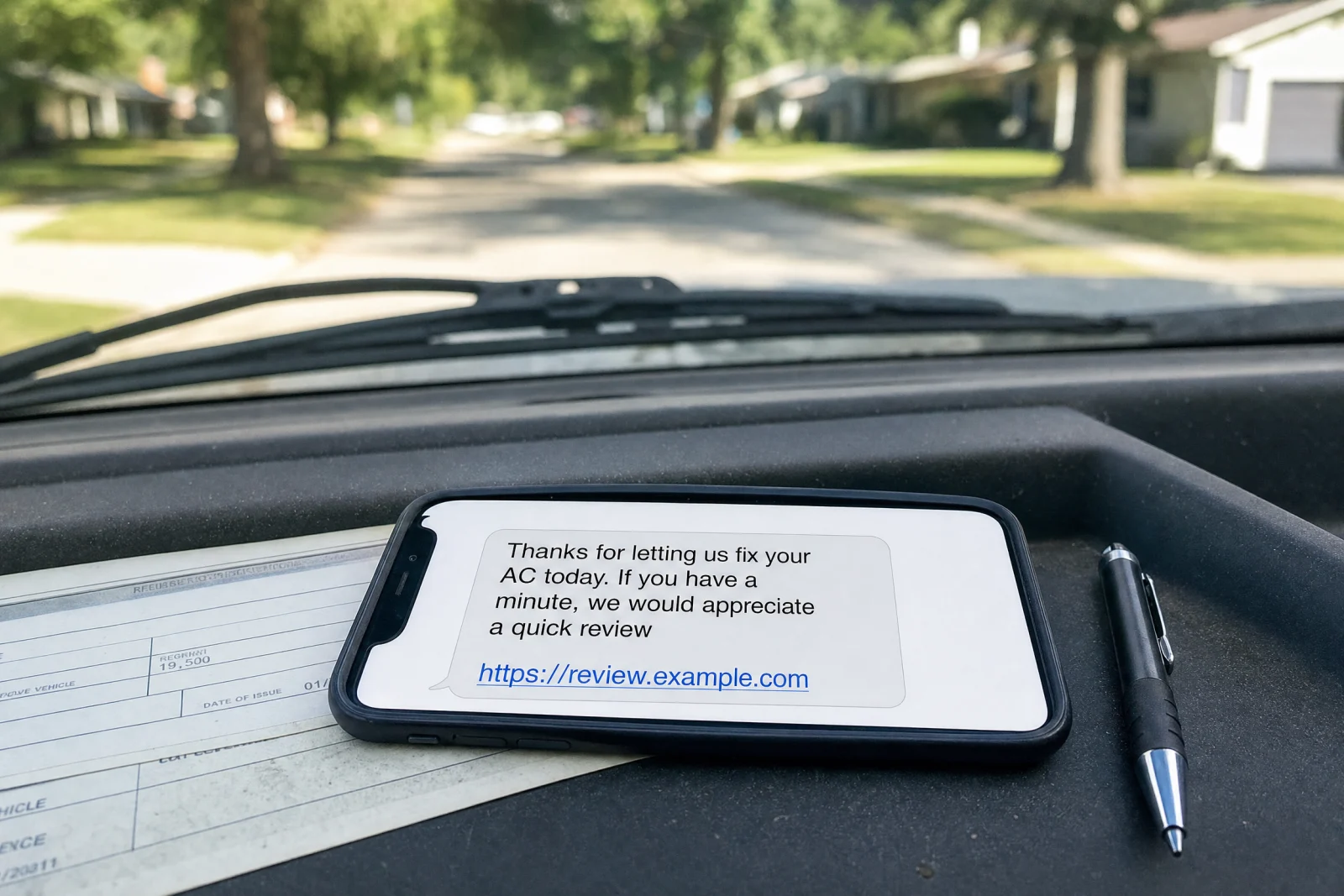
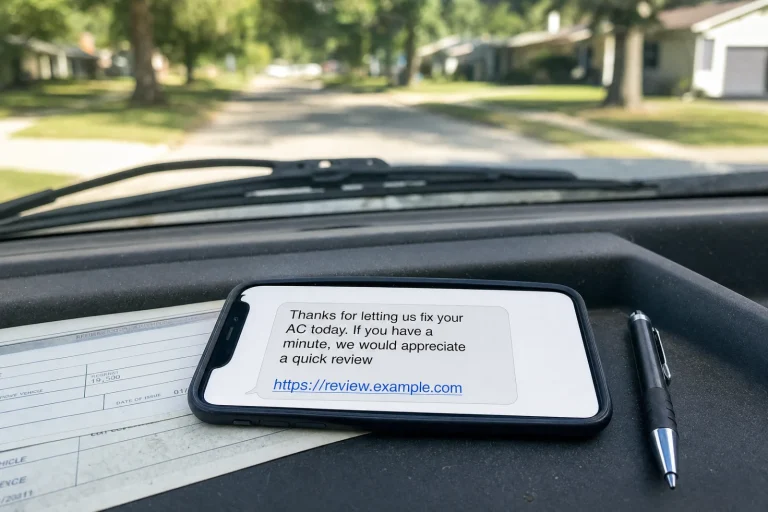
What actually worked for the service businesses we work with was timing and channel. Not email. Not a printed card. A text message sent within an hour of finishing the job, while the customer is still relieved that their AC is working again or their drain is unclogged.
The message is short. Thanks for letting us fix your AC today. If you have a minute, we would appreciate a quick review. Here is the link. That is it. No long explanation. No guilt trip. A direct ask at the exact moment when the customer is most likely to say yes because they are still happy the problem is solved.
One plumbing client tried this after months of getting maybe one review every few weeks. Within the first month they had twelve new reviews. Not because the message was clever, but because they asked at the right time through the right channel. A text gets read. An email sits in a folder.
The other thing that matters is responding to every review, good or bad, within a day. Not with a template response that sounds like a chatbot. With something specific to what the customer said. That signals to the next person reading reviews that you are paying attention and you care about the work.
Missing or Outdated Service Categories
Google has over 4,000 business categories. Most service businesses pick one or two and call it done. That is a mistake, but not for the reason you might think.
Until recently, the common advice was to keep your categories tight and focused. Pick your primary category and maybe one or two secondary ones. Adding too many categories would dilute your rankings. Except that turned out to not be true. Category dilution was never real, and the idea that adding irrelevant categories would crash your rankings was debunked in early 2023.
What is true is that categories now affect how you show up in searches, and leaving out relevant categories means you are invisible for searches you should be winning. An HVAC company that only lists itself as an HVAC contractor and does not add air conditioning repair, furnace repair, air duct cleaning, and every other relevant service category is missing calls from people searching for those specific things.
We went through this with a client who did both plumbing and drain cleaning but only had plumber as their category. They were ranking fine for general plumbing searches and getting zero calls from drain cleaning searches, which in their area were happening at twice the volume. We added drain cleaning service and septic system service as categories. Within a month they were showing up for those searches and booking jobs they would have never seen before.
The fix is to go through the category list and add every single one that accurately describes what you do. Not categories you wish you did or categories that are close enough. Actual services you perform. If you are a plumber or an HVAC company or an electrician, add every relevant category and do not worry about dilution. This is exactly what effective google business profile optimization services focus on—making sure you appear in every relevant search where potential customers are looking for your specific expertise.
One warning: changes to your primary category are considered risky edits that can trigger a suspension. Adding secondary categories is lower risk, but if your profile is new or if you are in a spammy industry, go slow. Set up the profile, let it sit for a week, then add categories one at a time instead of all at once.
The Description and Service List Nobody Reads (But Google Does)
Your business description is probably either too long or too vague. Most of the ones we see are either a paragraph of generic marketing copy that says nothing specific, or a list of services crammed into one run-on sentence that is impossible to scan.
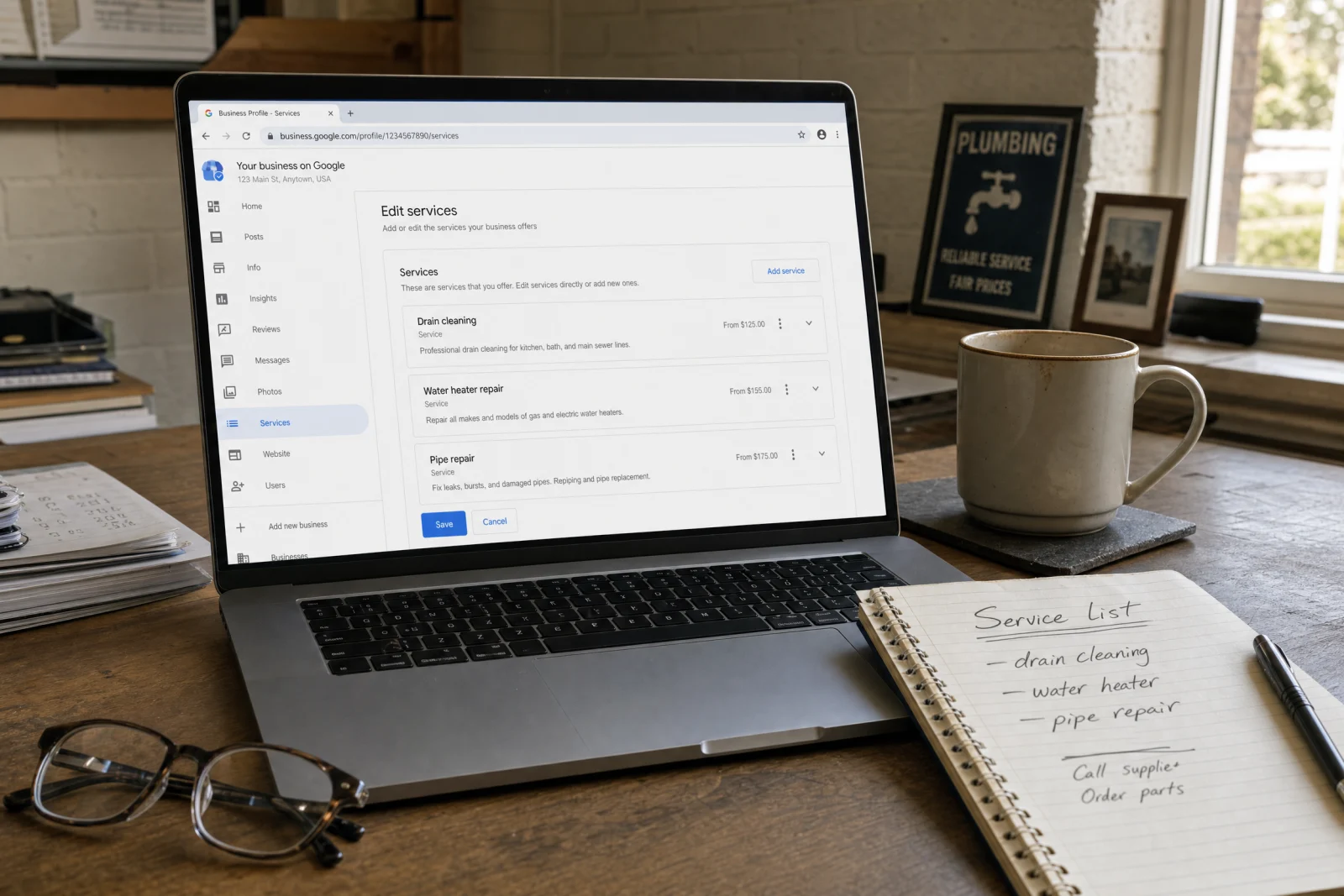
Nobody reads your business description. But Google does. And the description affects how you show up in searches for specific services, especially now that services appear to impact rankings as of early 2023 according to Google’s own local ranking documentation.
The description should be two or three sentences that say exactly what you do, where you do it, and what makes you different from the ten other contractors in your area. Not different in a marketing slogan way. Different in a factual way. We have been fixing AC units in Tampa since 2015. We show up the same day you call, and we do not charge extra for nights or weekends. That is a description that helps someone decide whether to call you.
The service list is where most profiles fall apart. Either the list is missing entirely, or it is so detailed that it includes every possible variation of the same service, or it is so vague that nobody knows what you actually do. We have seen profiles that list HVAC services as the only service. We have seen profiles that list forty-three services including things like emergency AC repair, urgent AC repair, same-day AC repair, and fast AC repair, which are all the same thing.
The right service list includes the specific services someone would search for, written the way they would search for them. AC repair, not climate control system restoration. Drain cleaning, not hydro-jetting and augering services. Furnace installation, not HVAC system replacement solutions. If you are not sure what people search for, look at the search terms that are already bringing people to your profile.
No Tracking, No Idea What Works
Most service businesses have no idea how many calls or website visits come from their Google Business Profile. They know the profile exists. They know people find them on Google. But they have no tracking set up, so they have no idea whether the time they spend improving the profile is worth anything.

The fix is simple and free. Add UTM parameters to the website link in your profile. The format looks like this: your website URL followed by ?utm_source=google&utm_medium=local&utm_campaign=gbp. That tells Google Analytics exactly where the traffic came from, so you can see how many people clicked through from your profile, how long they stayed on your site, and whether they filled out a form or called you.
Without tracking, your google business profile optimization services efforts are guessing. You make changes and hope they work. You add photos and assume they help. You update your hours and never know if it made a difference. With tracking, you know exactly which changes moved the needle and which ones did nothing.
We set this up for every client now, and the data always surprises someone. A profile that looks great and ranks high might be sending almost no traffic. A profile that ranks lower might be converting at twice the rate because the photos are better or the call button is more visible. You cannot fix what you cannot measure.
The One Audit You Should Run This Week
Search your own business name on Google right now. Not on your computer. On your phone. Look at what comes up. If the hours do not match your website, fix it today. If the photos look generic or outdated, replace them this week. If the service list is missing or vague, add the specific services you actually perform. Search the terms your customers use. AC repair Tampa. Plumber near me. Drain cleaning Orlando. See where you show up. See what your profile looks like compared to the profiles above and below you. If their photos look more real, if their hours are more visible, if their call button is easier to find, you are losing calls to them right now.
That Tampa plumbing company we mentioned at the start finally figured this out. They did not need a complete profile rebuild. They needed to fix the three things that were making people scroll past them. They updated their hours everywhere so they matched. They replaced the generic photos with before-and-after shots of real jobs. They added the specific service categories they had been leaving out. Calls went from two a week to eight, and the only thing that changed was removing the friction points that were stopping people mid-conversion.
Your profile probably looks fine to you. But if your phone is not ringing, something in that profile is telling people to call someone else. Fix the hours. Fix the photos. Fix the service list. And if you need help identifying what is costing you calls, our free scorecard walks through the same checks we use to audit local visibility and lead capture for service businesses. Start by searching your own name and look at what a customer sees when they are deciding whether to call you or keep scrolling.