AI automation for contractors is the problem this guide helps a business owner diagnose before making the wrong next move.
Why We Ditched Half Our AI Tools (And Kept Only What Actually Moves the Needle)
A plumbing contractor called us last spring after spending close to four grand on AI automation for contractors. He had signed up for three different platforms in two months. One promised to automate his estimates. Another was supposed to handle customer follow-up. The third claimed it would improve his crew schedules using machine learning.
None of them lasted past the trial period.
The estimating tool required manual input of every measurement before generating a quote, which took longer than doing it himself. The follow-up system sent generic emails that sounded robotic, and two customers called asking if his business had been hacked. The scheduling tool suggested routes that made no sense because it ignored traffic patterns and crew preferences.
He was spending more time managing the AI tools than on the tasks they were supposed to automate. And he was out four thousand dollars.
We have seen this pattern with HVAC companies, electricians, landscapers, and cleaning services. Someone reads about AI transforming small business, signs up for a tool that promises everything, then spends weeks trying to make it work before quietly canceling.
The problem is not that AI tools for construction do not work. Some absolutely do. The problem is most contractors buy tools that automate the wrong tasks, or require so much setup that any time savings disappear into the learning curve.
After watching dozens of service businesses waste money on tools that looked great in demos and failed in the field, we started keeping a list of what actually worked. Not what sounded impressive, but what actually removed hours from the week and put money back in the business.
The list is shorter than you would think. Most AI automation for contractors falls into two categories: proposal and quote automation that cuts hours off bidding, or communication systems that handle repetitive back-and-forth with customers and crew. Everything else tends to be too complicated to set up, too unreliable to trust, or solving a problem that does not actually cost you much time.
The Two AI Automation for Contractors Moves That Actually Save Time (And Why Everything Else Is Noise)
If you only automate two things, make it quote generation and customer communication. Those are the only two places where we have consistently watched AI tools save contractors more than five hours per week without creating new problems.
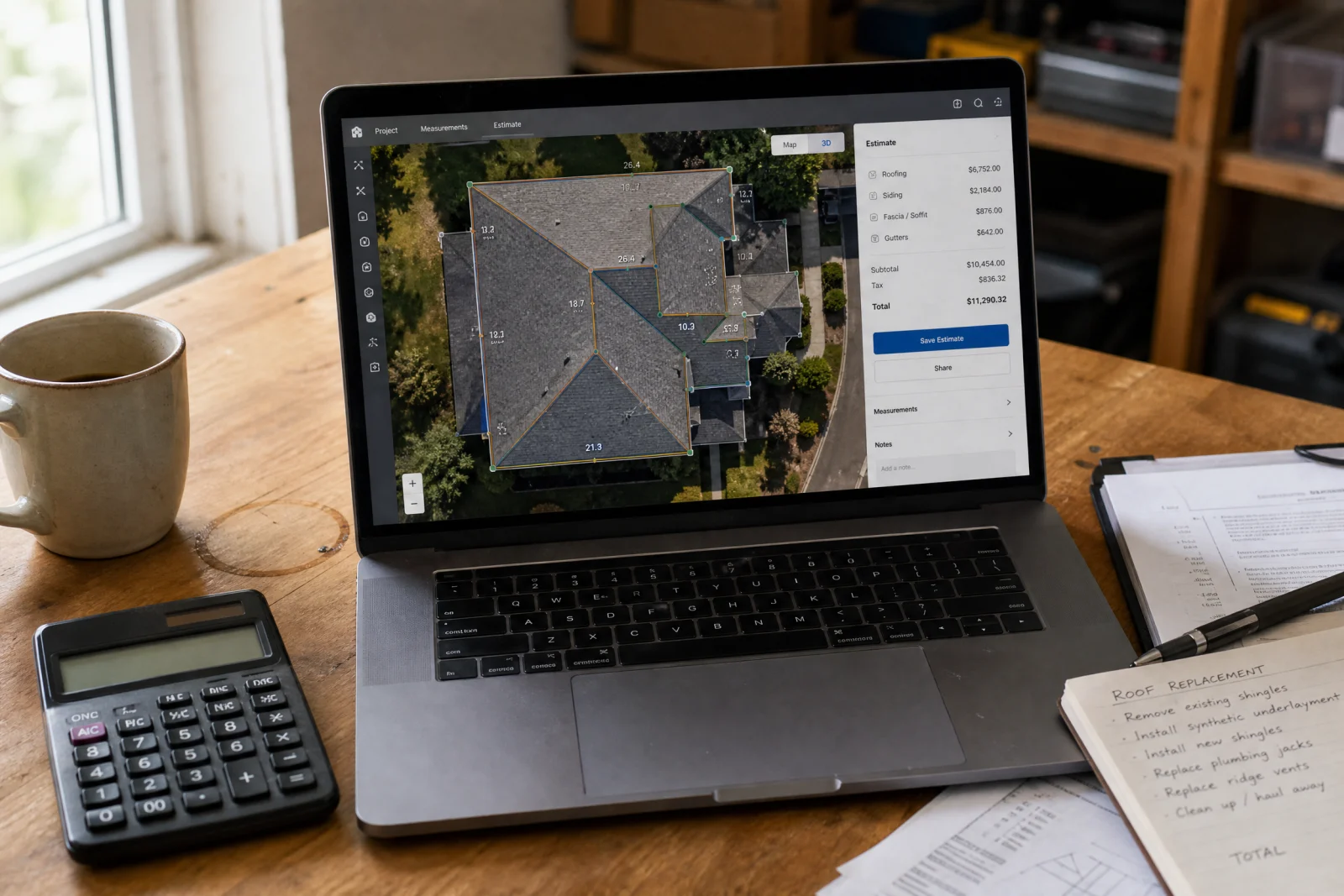
Quote generation tools pull measurements from satellite imagery, match them against your pricing database, and spit out a professional estimate in under ten minutes. One HVAC contractor we work with used to spend three hours every Sunday night writing quotes. Now he spends twenty minutes reviewing what the system generated, freeing up time for two extra service calls per week.
Customer communication automation handles the repetitive stuff—confirming appointments, sending payment reminders, asking for reviews after a job closes. A cleaning company we built a site for was losing half a day every week to text messages asking what time the crew would arrive. Now an AI system answers those texts in under a minute.
Everything else is noise. AI chatbots sound great until your crew needs an answer at 7am and the bot does not understand the question. Predictive maintenance tools require sensors and data feeds that most small contractors do not have. Project management AI cannot account for the fact that your best guy quit or the supply house is out of the part you need.
Start with the two things that eat your time every single week. Ignore the rest until those are running smooth.
1. QuoteIQ: Satellite Measurement and AI Estimating That Actually Gets Roofing and Exterior Work Right
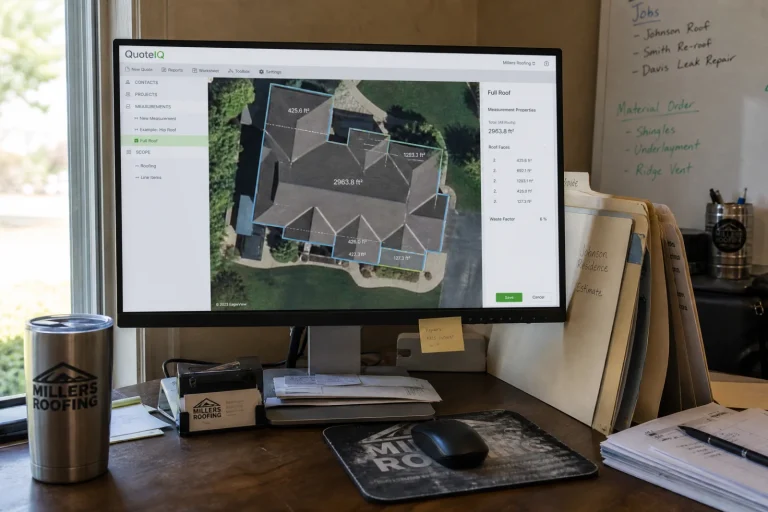
QuoteIQ costs seventy-five bucks a month and includes a satellite measurement tool that pulls roof dimensions straight from aerial imagery. You type in an address, the system measures the roof, and you get square footage accurate enough to bid most residential jobs without climbing a ladder.
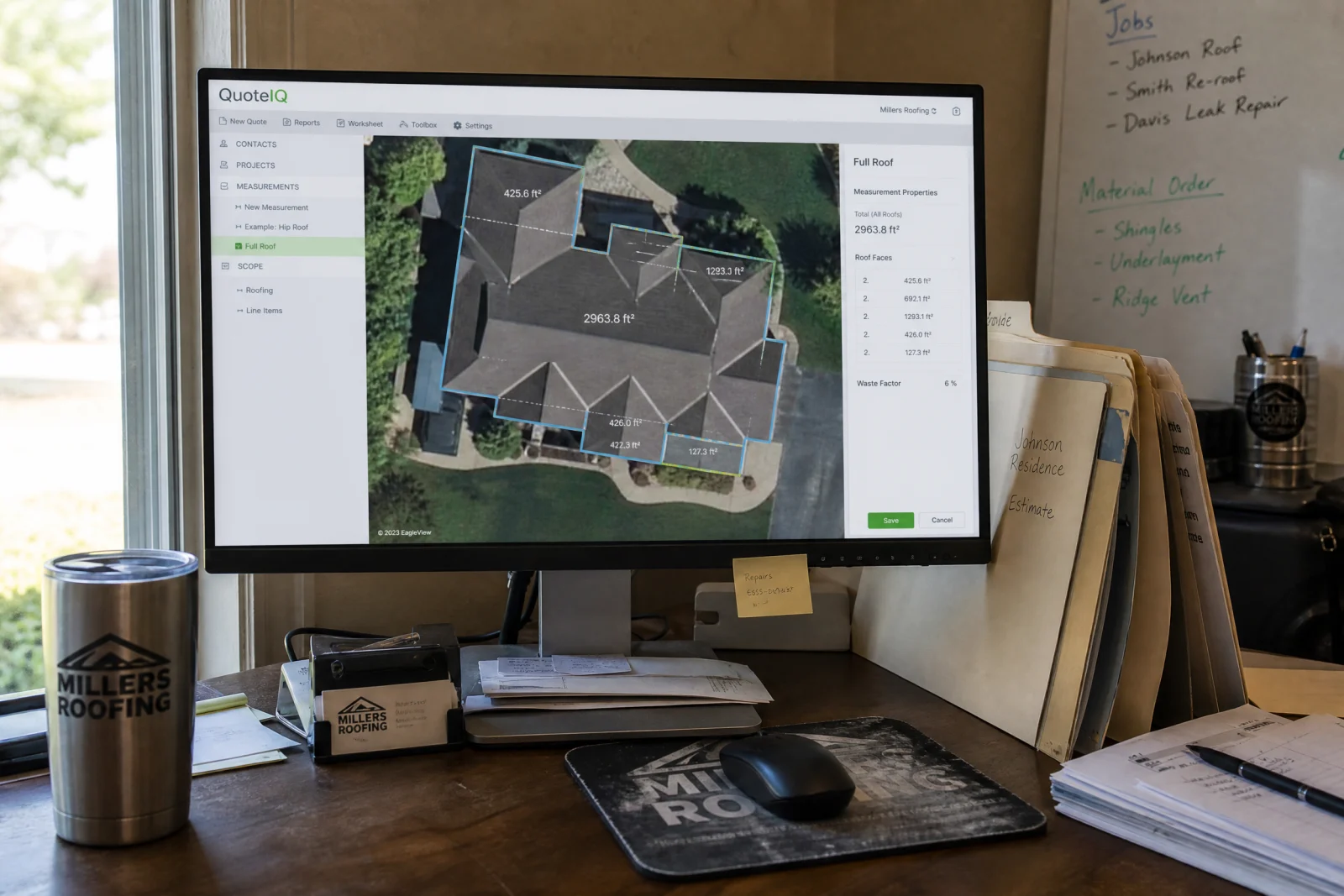
The AI estimator pulls your material costs and labor rates, then generates a quote you can send in under ten minutes. One roofer told us he used to spend an hour per estimate driving to the property, measuring, going back to the office, and writing it up. Now he does three estimates in the time it used to take him to do one.
The catch is it only works well for roofing, siding, and exterior trades where satellite imagery is useful. If you are a plumber or electrician working inside buildings, this tool does nothing for you. And the measurements are not perfect—complex roofs with multiple valleys still need a site visit. But for straightforward residential work, it cuts hours off estimating.
QuoteIQ also includes review automation and a 24/7 AI call answering system. For seventy-five dollars a month, it is one of the few tools we have seen that pays for itself in the first billing cycle.
2. NiceJob: Review Automation That Does Not Sound Like a Robot Wrote It
NiceJob costs seventy-five bucks a month and automates the one task every contractor knows they should do but never gets around to: asking for reviews.

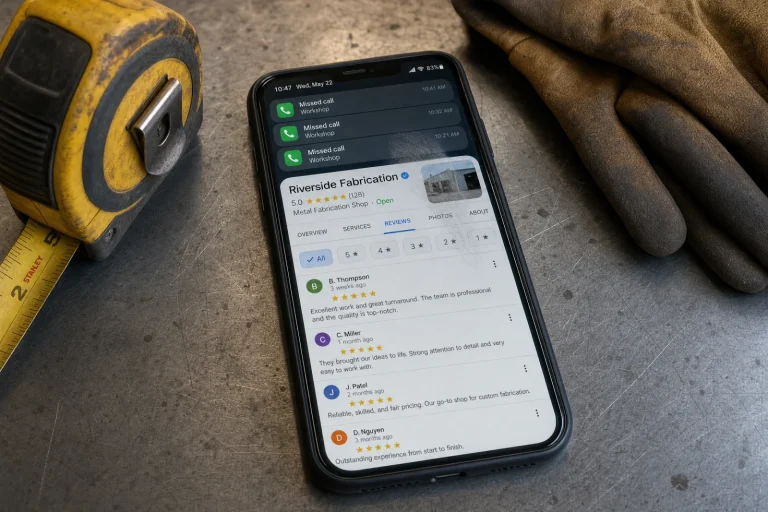
The system sends a text or email to every customer after a job closes, asking them to leave a review on Google. If they respond with anything less than five stars, the system routes the feedback to you privately. If they give you five stars, it walks them through leaving a public review.
An HVAC company we work with was getting maybe one review every two months before they set this up. Now they get three or four per month, which moved them from page two of local search results to the top three. That alone brought in enough extra calls to cover the cost ten times over.
Set it up once, connect it to your scheduling system, and forget about it. Reviews come in automatically, and you stop losing business to competitors who have more stars than you do.
3. Jobber and Housecall Pro: Field Service Platforms With Built-In Automation
Jobber and Housecall Pro are not pure AI tools.
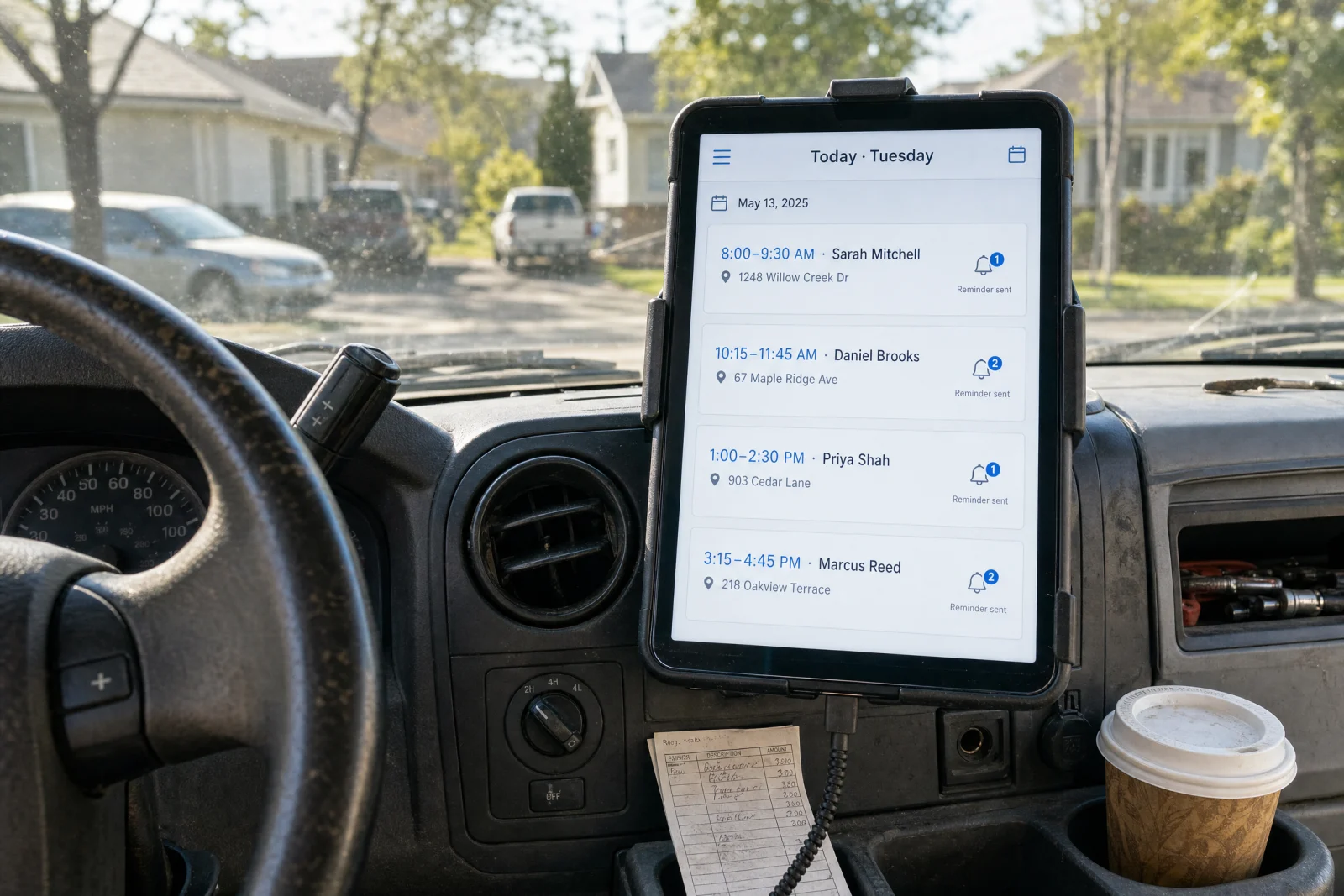
Jobber starts at thirty-nine dollars a month and automates appointment reminders, invoice follow-ups, and payment collection. You schedule a job, and the system sends the customer a confirmation text, a reminder the day before, and an invoice the day after. If they do not pay within a week, it sends a polite nudge.
Housecall Pro starts at seventy-nine bucks a month and does the same thing, plus it includes native review requests. Both platforms save contractors hours every week on repetitive admin work that used to happen manually.
The difference between these and true AI is that you still have to set up the rules yourself. The system does not learn or adapt. But for most contractors, that is actually better. You know exactly what the system will do, and it does it the same way every time.
We have worked with plumbers, electricians, and HVAC companies running both platforms. The consensus is that Jobber is easier to learn, and Housecall Pro has more features if you need them.
4. Contractor Foreman: Project Management That Handles Submittals Without the Chaos
Contractor Foreman is built for general contractors managing multiple jobs at once. It handles scheduling, budgeting, time tracking, and submittal and document management.
A project manager at a mid-sized construction company told us they were spending close to ten hours every week chasing down submittals, checking them against specs, and emailing back and forth with subcontractors. Contractor Foreman automated most of that. The system tracks what documents are needed for each phase, sends reminders to the subs, and flags anything that does not match the specs.
It is not true AI in the sense that it is making decisions for you. But it removes enough friction from the submittal process that it feels like automation. One construction manager said submittals went from taking his whole week to being part of his day.
Most small to mid-sized contractors pay somewhere between fifty and two hundred dollars a month.
5. Mastt: The Only AI That Actually Understands Construction Contracts
Mastt is the only AI tool we have tested that can read a construction contract in any format and pull out the important details automatically. You upload a contract, and the system extracts deadlines, payment terms, scope requirements, and deliverables without you having to highlight or tag anything.
This is useful if you are managing multiple projects and need to track what is due when. A general contractor told us they were keeping all of that information in a spreadsheet, which meant someone had to read every contract and manually enter the dates. Mastt does it in under a minute.
The tool is built specifically for construction, which means it understands the language and structure of construction contracts better than general-purpose AI tools. Pricing is custom based on the size of your operation, but for contractors managing five or more active projects at once, it saves enough time to justify the cost.
6. OpenSpace and DroneDeploy: Site Documentation That Saves You When Someone Says ‘That’s Not What We Agreed On’
OpenSpace and DroneDeploy automate site documentation, which is the thing every contractor knows they should do more of and never gets around to until it is too late.
OpenSpace uses a 360-degree camera that you walk through the job site. The system stitches the footage together and maps it to your floor plans, so you have a visual record of every phase of the project. When a client says the framing was not done right or a sub claims they finished work that is not actually complete, you pull up the footage and show them exactly what happened.
DroneDeploy does the same thing with drones for exterior and large-scale projects. You fly the site, and the system generates maps and 3D models you can reference later.
Both tools save you time in the long run by cutting down on disputes and rework. One contractor told us OpenSpace saved him from a fifteen-thousand-dollar claim because he had video proof that the work was done to spec. That paid for two years of the subscription in one dispute.
Expect to pay somewhere between a hundred and three hundred dollars a month depending on how many projects you are documenting.
7. BuildSync: Submittal Automation That Cuts Review Time by Half
BuildSync is built for contractors managing large projects with hundreds of submittals. The platform uses AI to analyze submittals, extract technical specs, and verify them against project requirements automatically.
A project manager at a construction company working on healthcare projects told us they cut submittal review time by seventy percent after setting up BuildSync. Rejection rates dropped from thirty-five percent to five percent because the system caught errors before the submittals went out.
This is not a tool for small residential contractors. If you are running jobs under a million dollars, you do not need it. But if you are managing projects with five hundred or more submittals, BuildSync removes enough friction from the process to justify the cost.
What AI Still Cannot Touch (And Probably Never Will)
AI cannot negotiate with a client who wants to cut the budget by twenty percent but still expects the same scope. It cannot make the judgment call on whether a job site is safe enough to keep working or if you need to shut it down. And it cannot build the kind of relationship with a repeat customer that keeps them calling you instead of shopping around every time they need work done.
Those things require experience, intuition, and trust. No tool is going to replace that.
The Real Money: What Contractors Are Actually Saving
An HVAC contractor told us he was spending six hours every week writing quotes. After setting up an AI estimating tool, that dropped to under an hour. He used the extra time to take on two more service calls per month, which brought in an additional three thousand dollars in revenue. The tool cost seventy-five bucks a month, which means it paid for itself in the first week.

A residential cleaning company was losing four hours every week to appointment confirmations and payment follow-ups. They set up automated reminders and invoice nudges through a field service platform. The owner stopped spending her evenings answering texts, and late payments dropped by half.
A small contracting business owner told us he was spending close to three hours every night on administrative tasks before he automated quote generation and customer communication. That time went back into his evenings, which is worth more than any dollar amount we could calculate.
The math is simple. If a tool saves you three hours per week, that is twelve hours per month. If your time is worth fifty bucks an hour, that is six hundred dollars in value. Most of the tools on this list cost under a hundred dollars a month, which means they pay for themselves in the first billing cycle if you actually use them.
The catch is training time and integration. Most tools take a week or two to set up properly, and another week or two before your crew stops asking questions. Factor that in. If a tool does not save you at least three hours per week within the first month, it is not worth the learning curve.
The One Question You Need to Answer Before Buying Any AI Tool
Does this tool remove a task from your plate, or does it move it around?
A lot of contractor automation software promises to save you time, but what it actually does is shift the work from one place to another. Instead of writing quotes by hand, you are now inputting data into a system that generates quotes. Instead of answering customer calls, you are now managing a chatbot that answers calls. The task is still there. It looks different.
Before you buy anything, spend three days tracking where your time actually goes. Write down every task that takes more than fifteen minutes. At the end of the week, look at the list and identify the single biggest time sink. That is the only thing you should be trying to automate right now.
Then evaluate your AI automation for contractors options against that one problem. If a tool does not save you at least three hours per week within the first month, it is not worth it. And if it requires more than two hours of setup and training before it starts working, you are better off sticking with the old way until you find something simpler.
We have spent years testing AI automation for contractors, and the tools that work are the ones that do one thing well and get out of your way. The ones that fail are the ones that try to do everything and end up doing nothing particularly useful. Start small. Pick one pain point. Fix it. Then move on to the next one. If you are not sure where automation fits into your current workflow, our free scorecard walks through the same checks we use with service businesses to identify which tasks are worth automating first.