Business process automation service is the problem this guide helps a business owner diagnose before making the wrong next move.
The $40,000 Mistake We Made Before Understanding What Automation Actually Needs to Do
A cleaning company called us in late 2023 after spending nearly $40,000 on a business process automation service that looked incredible in the demo. The platform had drag-and-drop workflows, a slick dashboard, and a sales rep who promised it would eliminate half their admin work. Three months in, their office manager was still manually copying customer data between systems. The automation was running, but it was surrounded by so much manual data entry that it actually added time instead of saving it.

The problem was not the automation itself. The workflows were fine. The logic was sound.
The platform could not talk to anything else they used.
No integration with their CRM. No connection to QuickBooks. No way to pull data from their scheduling app without exporting a CSV file and uploading it manually. They had bought a beautiful, expensive island that sat in the middle of their operations doing nothing useful because it could not connect to the mainland.
We have seen this same story play out with HVAC companies, plumbers, landscapers, and electricians. They get sold on automation that looks impressive in a controlled demo environment, then discover it cannot handle the messy reality of their actual business. The software works exactly as advertised, but it is missing the foundational features that determine whether automation becomes a time-saver or expensive busywork.
What separates platforms that actually deliver from ones that look good in PowerPoint comes down to seven specific features. Not nice-to-haves. Not premium add-ons. The baseline requirements that determine whether your automation will run your business or create a new job for someone on your team. Integration capability is the foundation. A platform that requires you to export CSVs, reformat spreadsheets, or copy-paste between systems is not automation—it is a very expensive middleman.
The cleaning company we mentioned earlier had no way to connect their automation to the tools they already used. That meant every new customer required someone to type their information into three different places. Every completed job needed manual updates in two systems. They were paying $500 a month to automate a process that still required 15 hours of manual work per week.
When we helped them switch to a platform with real integration capability, the difference was immediate. Customer data flowed from their scheduling app into the automation, which generated invoices and pushed them directly to QuickBooks. No exports. No manual entry. The office manager went from spending three hours a day on invoicing to spending twenty minutes reviewing exceptions.
But integration alone is not enough. You also need workflow customization that actually reflects how your business operates, not how the software company thinks businesses should operate. Most platforms come with template workflows designed for generic use cases. If you have any variation—different approval chains, conditional logic based on job size, special handling for VIP customers—you are stuck either forcing your team to work around the system or paying for expensive custom development.
We worked with an HVAC company whose automation platform had a beautiful template for service requests. The problem was that their business had three different workflows depending on whether the job was under warranty, a maintenance contract, or a one-time repair. The template could not handle that. Every request that did not fit the standard path got stuck in a queue, and someone had to manually route it to the right person.
Error handling is where most automation falls apart in real-world use. When a workflow hits an exception—a missing field, an invalid email address, a payment that fails—what happens? On most platforms, the process stops. No alert. No notification. The workflow sits there broken until someone notices, which might be hours or days later. A plumbing company we work with had an automation that sent follow-up emails after every job. When a customer’s email bounced, the old system would stop the entire workflow, which meant the invoice never got generated. Their new platform catches the bounced email, flags it for manual review, and continues processing the invoice. One broken email no longer breaks the entire chain.
Reporting and visibility matter more than most people realize when shopping for automation. You need to see what is running, what is stuck, and where time is actually being saved. Without real reporting, you have no idea if your automation is working or creating invisible bottlenecks.
Scalability is the feature nobody thinks about until it is too late. A platform that works fine when you are processing 50 jobs a month can completely collapse when you hit 200. Some services have execution limits buried in their pricing tiers that trigger unexpected cost increases the moment your business grows. If your automation cannot scale with your business, you will outgrow it right when you need it most.
Support and training determine whether your team actually uses the system or works around it. The most powerful platform in the world is useless if nobody on your team knows how to fix a broken workflow or add a new step. When something breaks at 4 PM on a Friday, the difference between real support and a help center full of articles is whether your automation runs all weekend or sits idle until Monday.
Compliance and security are non-negotiable if you handle customer data or payment information. Your automation service needs data encryption, access controls, audit logs, and compliance with whatever regulations apply to your industry. They want to know where things break down, where your team gets stuck, and what happens when a process goes sideways. If a vendor leads with a demo instead of a conversation, they are selling a product, not solving a problem.
Watch for these warning signs. They push you toward their template workflows instead of asking what you actually do. They quote you a price before understanding your volume, your team size, or how many systems you need to connect.
What you should actually listen for in a sales conversation is specificity. Do they ask about your current tools by name? Do they want to see your existing workflow, even if it is a messy spreadsheet or a series of emails? Do they identify the gaps in your process that you had not even noticed yet? A vendor who understands service businesses will ask about your busiest season, your follow-up process, and what happens when someone calls after hours.
The difference shows up in the proposal. A generic proposal lists features and pricing tiers. A real proposal maps your specific workflows to their platform, identifies which integrations you will need, and estimates how much time you will actually save based on your current volume. If the proposal could apply to any business in any industry, it is not a solution—it is a sales pitch.
When Automation Pays for Itself (and When It Does Not)
If you are paying $500 a month for a service, you need to save 10 hours of labor per month minimum to break even—that is about 2.5 hours per week. Do the math for your own situation before you sign anything.

Automation pays for itself fast in a few specific scenarios. High-volume repetitive work where the same task happens dozens or hundreds of times per week. Processes that need to run 24/7, like lead follow-up or appointment reminders. Tasks that require zero human judgment, like copying data between systems or generating invoices from completed jobs.
It does not pay for itself when workflows change constantly, when the work requires deep expertise or judgment calls, or when the task happens fewer than five times per week. Automating something that only happens twice a month will take years to recoup the setup cost.
We worked with an electrical contractor who wanted to automate their quoting process. The problem was that every quote required a site visit, custom measurements, and judgment calls about materials and labor. The automation could generate a template, but someone still had to fill in all the important details. They spent $3,000 setting it up and saved maybe 15 minutes per quote. At their volume, the payback period was over three years.
The Real Reason Your Team Won’t Use the New System (and What Actually Works)
A landscaping company we worked with implemented a new workflow automation platform in the spring of 2024. The owner was thrilled. The software could automatically schedule crews, send customer reminders, and generate invoices the moment a job was marked complete.

Three months later, the crews were still calling the office to get their schedules. The office manager was still sending reminders manually. The invoices were still being generated in QuickBooks the old way. The automation was running, but nobody was using it.
The problem was not the software. The problem was that the owner had bought it, set it up, and announced it to the team as a done deal. The crew leaders had no input on how scheduling worked. The office manager was not involved in designing the reminder system. So they found workarounds. They kept doing things the old way because the old way was familiar and they trusted it.
What actually changed adoption was starting over with the person who did the work most. The owner sat down with the office manager and asked what part of her day she hated most. She said it was chasing down crew leaders to find out which jobs were done so she could send invoices. They built one automated workflow together—crews text a shortcode when they finish a job, the system marks it complete, and the invoice generates automatically. That was it. One workflow. One pain point solved.
The office manager loved it because it eliminated the single most annoying part of her day. She started showing the crew leaders how easy the text system was. Within two weeks, everyone was using it because they saw it make her life easier, which meant she stopped calling them at 5 PM asking for updates.
Adoption is not a training problem. It is a trust problem. Trust comes from involving people before the system goes live, letting them shape how it works, and celebrating the first small win publicly. When your team sees that automation actually solves a real problem they experience every day, they will use it. When they see it as something imposed from above that makes their job harder, they will work around it no matter how much training you provide.
Audit Your Current Processes Before You Talk to Any Vendor
Most businesses call a vendor and immediately get sold something because they have not actually mapped what they are doing. They know they are wasting time, but they cannot articulate where the time goes or which tasks could run without human input. So the vendor fills in the gaps with assumptions and template workflows, and six months later the business realizes they automated the wrong things.
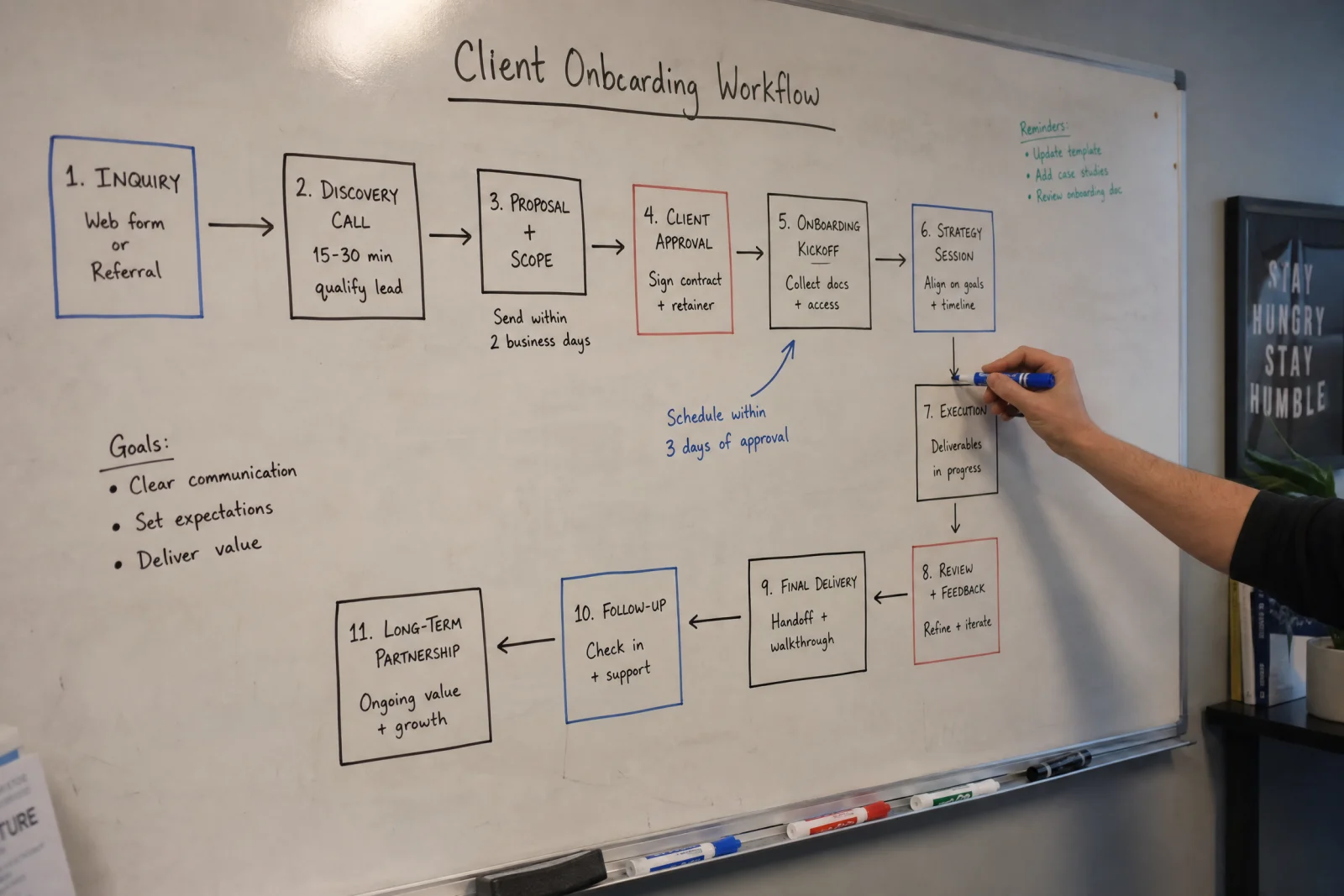
Spend a week watching your team work before you talk to anyone. Write down where time actually disappears. Follow one job from the first customer call all the way through to the final invoice and payment. Count how many times information gets entered into a system. Note which tasks happen the same way every time and which ones require judgment calls or expertise.
Identify the tasks that could run without human input. Sending appointment reminders does not require a person. Generating an invoice from a completed job does not require a person. Routing a new lead to the right crew based on location and availability does not require a person. Those are automation opportunities.
When you walk into a vendor conversation knowing exactly what you need automated, you stop being a prospect and start being a buyer with use. You can ask specific questions. You can push back when they try to sell you features you do not need. You can compare platforms based on how well they solve your actual problems instead of how impressive their demo looks. If you want to see how your current setup measures up before talking to vendors, our free automation scorecard walks through the same gaps we look for when auditing service business workflows.
What Actually Matters When You Are Ready to Buy
The cleaning company that spent $40,000 on the wrong platform eventually found one that worked. It cost less, integrated with everything they used, and handled exceptions without freezing the entire workflow. Within two months, their office manager went from working 50-hour weeks to working 40-hour weeks. The owner stopped getting calls at night about stuck invoices or missed follow-ups.

The difference was not the technology. The difference was that the second platform had the seven features that actually matter—integration, customization, error handling, reporting, scalability, support, and compliance. The first platform had four of those seven. That gap cost them a year of frustration and $40,000 they will never get back. Ask to see the integrations list. Request a demo of how the platform handles errors. Get a straight answer about what happens when your volume doubles. Talk to their support team before you need them. Make them show you how reporting works with real data, not a sanitized demo account.
And if a vendor cannot clearly explain how their platform solves your specific problem—the one you identified when you audited your processes—walk away. There are too many good options in 2026 to settle for one that makes you work around it instead of with it.